Bulk search, edit, toggle, and rank hundreds of macros from one screen. No spreadsheets, no API tokens, no hassle.
Free to try · Pro $49.99/mo → See pricing
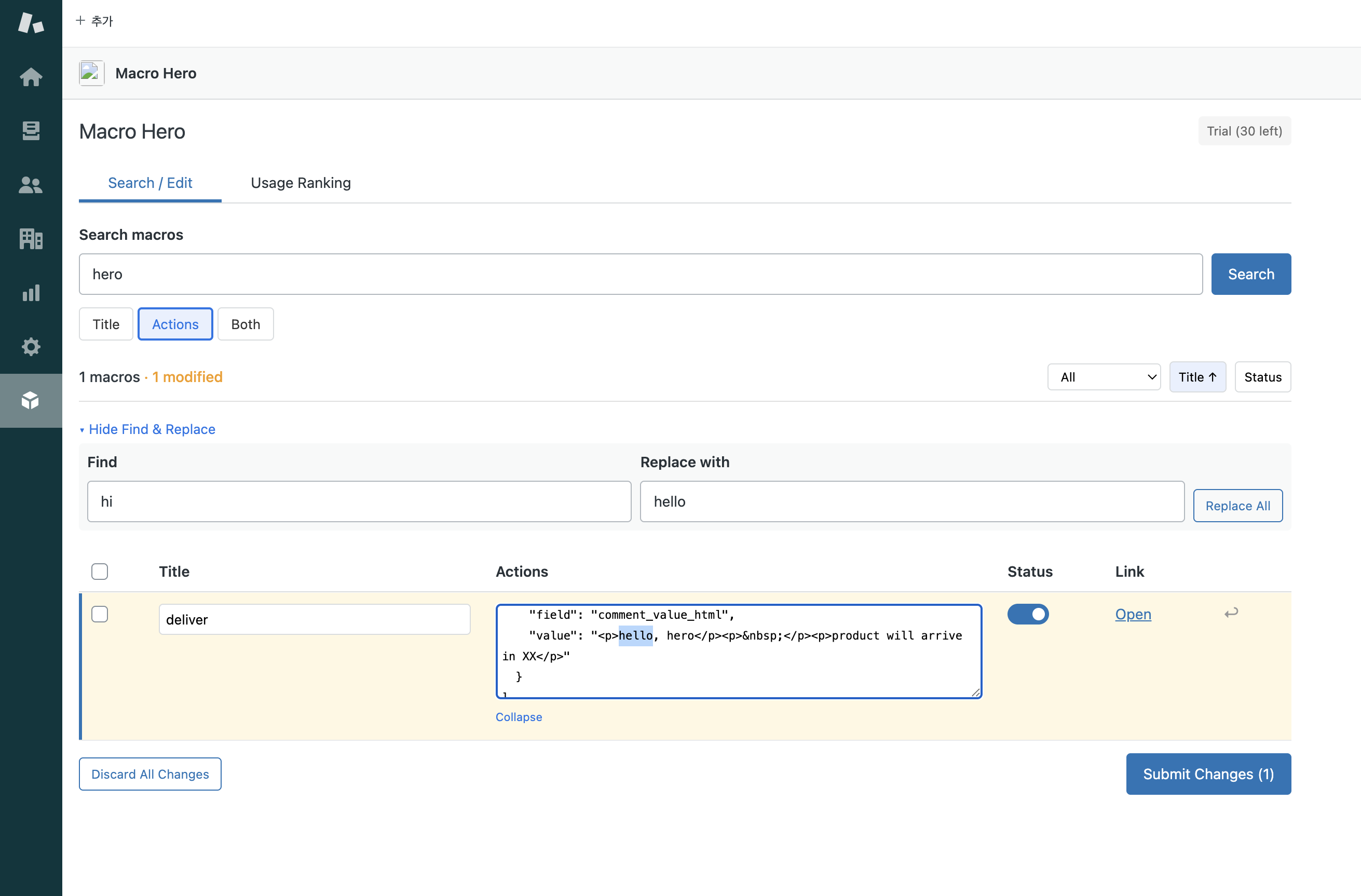
Search macros by title, actions, or both. Use comma-separated keywords for multiple searches. Combine title+actions with the + operator.
Edit macro titles and actions inline. Use Find & Replace to update text across all macros at once. Submit all changes with one click.
Activate or deactivate macros with a simple toggle switch. Select multiple macros and change their status in bulk.
See which macros are used most and least in the past 7 days. Identify unused macros and clean up your workspace.
Filter results by active or inactive status. Sort by title or status. Find exactly what you need in seconds.
Export your macro usage data to CSV for reporting and analysis. Share insights with your team.
Find Macro Hero in the Zendesk Marketplace and click Install. No API tokens or configuration needed.
Click the Macro Hero icon in your Zendesk navigation bar to open the app.
Search for macros by keyword, edit them inline, toggle status, and submit your changes — all from one screen.
Macro Hero processes all data directly in your browser through Zendesk's secure API proxy. Your macro content never passes through our servers. We only store your subscription status — nothing else.
Join teams who manage hundreds of macros without the spreadsheet chaos.
Install Macro Hero — Free